Quantum Walk Algorithms are related to random walks. A random walk is a probability distribution over some states. Quantum walk is a quantum superposition over states.
Algorithms based on quantum walks are listed below.
In C#, variadic templates can be classes with repeated methods or use collection initializers and compile them into series of calls. Q# and C# are used to write quantum programs. Variadic templates help writing C# Drivers.
The code snippet shows Add Call with its own generic parameters and type inference.
using System; using System.Collections.Generic; using System.IO; using System.Net;
using Microsoft.Quantum.Simulation.Core; using Microsoft.Quantum.Simulation.Simulators;
namespace Hello { class Driver {
static void Main(string[] args) {
Container listContainer = new Container() { () => new List<byte>()
}; Container memoryContainer = new Container() { () => new MemoryStream() }; Container credentialContainer = new Container() {
Parameterized types are specified in generic classes. Generics in C# is powerful feature which defines the type-safe data structures. They are similar to templates in C++. The parameters can be typed by using generics in methods and classes. The framing of data type is deferred till the class or the method is declared and instantiated & executed by client code. They reduce the overhead of following operations :
Boxing
UnBoxing
Type Casting of Variables and objects.
The code snippet below shows ParameterizedTypes Class which takes a generic type parameter ’T’.
    public class ParameterizedTypes<T>
    {

        private T data;

        public T value
        {

            get
            {
                return this.data;
            }
            set
            {
                this.data = value;
            }
        }
    }
The Driver class has Main method, in which ParameterizedTypes Class is instantiated as string and float. The constructor accepts the required type for ParameterizedTypes class.
using System;

using Microsoft.Quantum.Simulation.Core;
using Microsoft.Quantum.Simulation.Simulators;

namespace Hello
{
    class Driver
    {
        static void Main(string[] args)
        {

            ParameterizedTypes<string> name = new ParameterizedTypes<string>();
            name.value = "Parameterized Types";

            ParameterizedTypes<float> version = new ParameterizedTypes<float>();
            version.value = 7.0F;

            Console.WriteLine(name.value);

            Console.WriteLine(version.value);
        }
    }
}
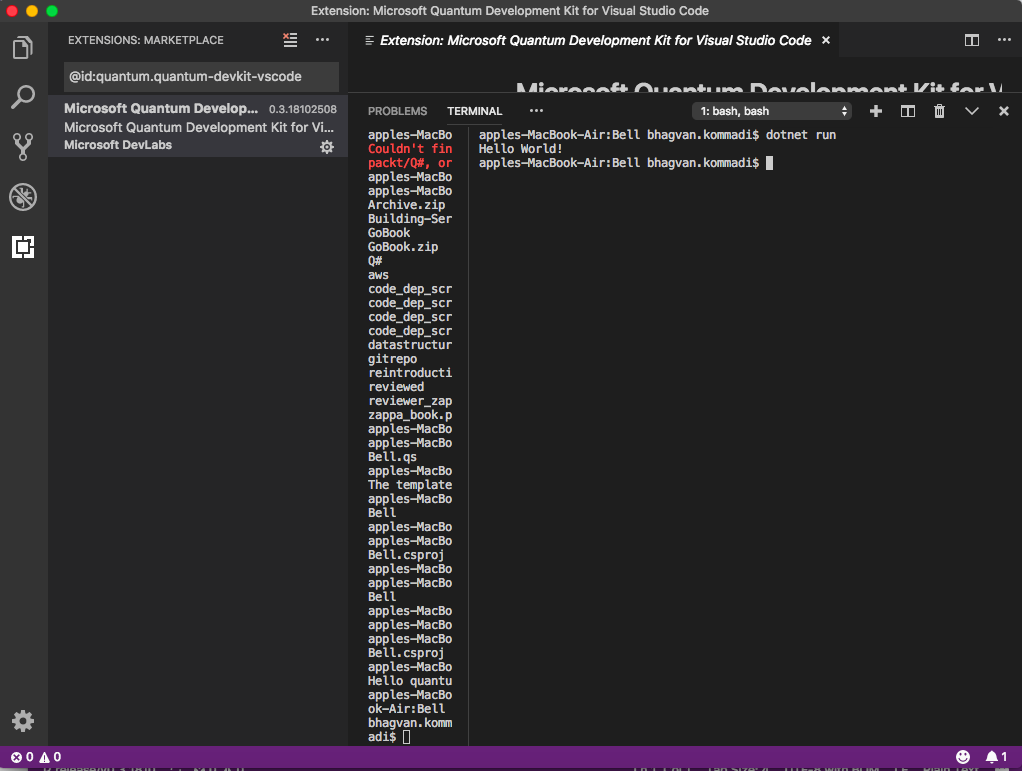
Run the following commands to execute the project in Visual Studio Code:
^F5
In the terminal, you can execute the build by running the command below.
The Quantum Development Kit preview provides a development and simulation environment. The IDE has features related to Component Function,Local quantum machine simulator, Quantum computer trace simulator and Visual Studio Code extension.
I am a CoAuthor of Book titled: Learn Q# Programming – Fundamentals of Q#. The proposal to Packt Publishing is accepted.The book will be published around july 2019.
Quantum Katas has API and examples related to Basic quantum computing gates,
Superposition,Measurements,Joint measurements,Simple algorithms, Teleportation
Superdense coding,Deutsch–Jozsa algorithm, Bernstein–Vazirani and Simon’s algorithms
Q# is a programming language for quantum computing. Q# draws on inspiration from F# as a functional language, C# for syntax, and draws some ideas from Python.
A Q# operation is a callable routine, which contains Q# code to carry out a quantum operation. An operation is the basic unit of quantum execution in Q#. It returns a single value as output, specified after a colon, and may be a tuple.
A Q# Function is classical subroutine used within a Quantum algorithm and can only contain classical code. A function will take a single value as input and returns a single value as output.
namespace Quantum.HelloWorld

{

    open Microsoft.Quantum.Canon;

    open Microsoft.Quantum.Primitive;

    operation SayHello () : Unit {

        Message("Hello World!");

    }

}


 Q# laatste nieuws