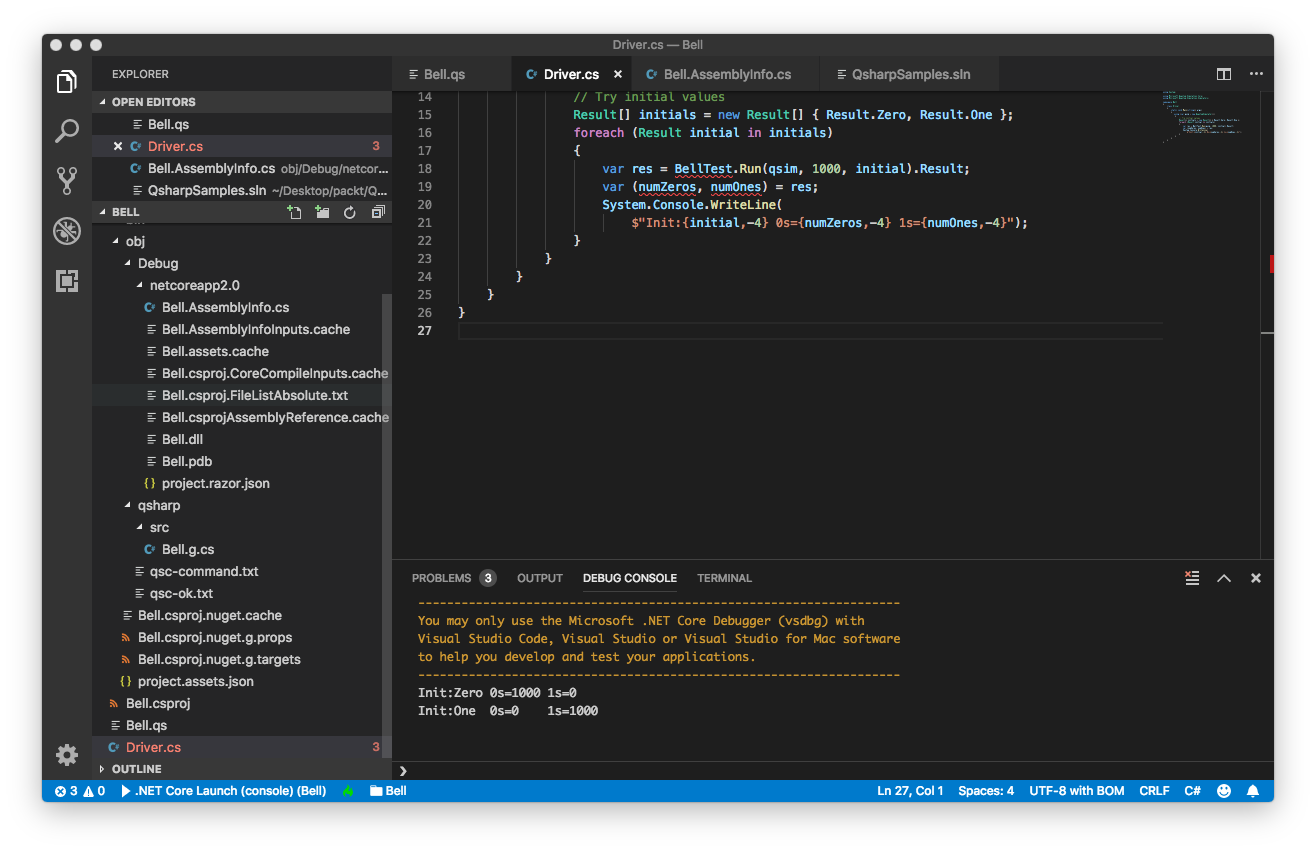
Q# – Function Templates

Generics helps in the  following ways to write code.

  • Code reuse, performance and type safety
  • Creation of custom generic classes, methods, interfaces and delegates
  • Creation of Generic Collection classes
  • Retrieving information of the types used in generic data type at run-time
  • Better performance

The code below shows a generic method with different type parameters such as int, char and double typed parameters. 

Code Snippet : FunctionTemplates  Example

public class FunctionTemplates
{

    public void Show<TypeOfValue>(string message, TypeOfValue value)
    {
        Console.WriteLine("{0}:{1}", message, value);
    }
} 

Code Snippet : FunctionTemplates Driver Example

using System;

using Microsoft.Quantum.Simulation.Core;
using Microsoft.Quantum.Simulation.Simulators;

namespace Hello
{
    class Driver
    {
        static void Main(string[] args)
        {

            FunctionTemplates p = new FunctionTemplates();

            p.Show<int>("Integer", 10);
            p.Show<char>("Character", 'E');
            p.Show<double>("Decimal", 231.78);
           
        }

    }

Run the following commands  to execute the project in Visual Studio Code:

^F5 

In the terminal, you can execute the build by running the command below.

dotnet run

The screenshot of the output is attached below:

Q# – Operation Type

In Q#, operation is a callable routine. The routine contains code to execute a quantum operation. The operation takes tuple value as input and the output is returned as a single value. The sample code is shown below for operation.

operation GetSum(x: Int, y: Int): Int { 

    body { 

        mutable z = 0; 

        set z = x + y; 

        return (z); 

    }

Q#  project and solution is created using the following commands.

dotnet new console -lang Q# --output Hello

Visual  Studio Code is used to open the project. The project will have two files Driver.cs (C# driver) and Operations.qs (Q# ). The Operations.qs is renamed as Hello.qs.

The code snippet below shows the Hello.qs after adding the operation GetSum.

Code Snippet : GetSum Example

namespace Hello

{

    open Microsoft.Quantum.Canon;

    open Microsoft.Quantum.Primitive;

    operation GetSum(x: Int, y: Int): Int { 

    body { 

        mutable z = 0; 

        set z = x + y; 

        return (z); 


}

}

The Driver file will have the following code to execute GetSum function.

using System;

using Microsoft.Quantum.Simulation.Core;

using Microsoft.Quantum.Simulation.Simulators;

namespace Hello

{

    class Driver

    {

        static void Main(string[] args)

        {

            using (var qsim = new QuantumSimulator())

            {

                System.Console.WriteLine("Sum of 4 and 5 is");

                         var result = GetSum.Run(qsim,4,5).Result;

                System.Console.WriteLine(result);

            }

        }

    }

}

Run the following commands  to execute the project in Visual Studio Code:

^F5 

In the terminal, you can execute the build by running the command below.

dotnet run


The screenshot of the output is attached below:


GetSum

Quantum Entanglement – Deterministic

Quantum Entanglement is a superposition of two or more particles. This is a quantum state which has a special subset of all measurements of a particle. It is a correlated measurement outcome of two or more particles. Quantum entanglement happens when multiple particles generated together or closely interacted. The particle cannot be described independently and becomes part of a connected system. Measurement of one particle affects the other particle’s state.

Let us look at the implementation of deterministic entanglement.

The setup of the Microsoft Development Kit is  discussed below.

Install Microsoft Development Kit from the link on Microsoft.com  

  • Install the .NET Core SDK 2.0 or later from the .NET downloads site.
  • To download the latest templates for creating new Q# applications and libraries, execute

    dotnet new -i “Microsoft.Quantum.ProjectTemplates::0.3.1811.2802-preview”

The Driver source code will be used to invoke the State Test.

using System;

using Microsoft.Quantum.Simulation.Core;

using Microsoft.Quantum.Simulation.Simulators;

namespace FirstQuantum

{

    class Driver

    {

        static void Main(string[] args)

        {

            using (var qsim = new QuantumSimulator(randomNumberGeneratorSeed: 31))

            {


                Result[] initials = new Result[] { Result.Zero, Result.One };

                foreach (Result initial in initials)

                {

                    var res = DeterministicTest.Run(qsim, 1000, initial).Result;

                    var (numZeros, numOnes,agree) = res;

                    System.Console.WriteLine(

                        $"Init:{initial,-4} 0s={numZeros,-4} 1s={numOnes,-4} agree={agree,-4}");

                }

            }

        }

    }

}


The PerformXGate operation and operation DeterministicTest’s code is shown below.

namespace DeterministicTest

{

    open Microsoft.Quantum.Canon;

    open Microsoft.Quantum.Primitive;

operation PerformXGate (desired: Result, q1: Qubit) : Unit

    {

        let current = M(q1);

        if (desired != current)

        {

            X(q1);

        }

    }
operation DeterministicTest (count : Int, initial: Result) : (Int, Int)

    {

        mutable numOnes = 0;

        using (qubit = Qubit())

        {

            for (test in 1..count)

            {

                PerformXGate (initial, qubit);

                H(qubit);

                let res = M (qubit);

                if (res == One)

                {

                    set numOnes = numOnes + 1;

                }

            }

            Set(Zero, qubit);

        }

        return (count-numOnes, numOnes);

    }

}


In the deterministic test, the number of times zero and one values come in the run of 1000 times are printed.  Qubit is halfway between 0 and 1 as presented in the output below.


Init:Zero 0s=512  1s=488  agree=1000

Init:One  0s=503  1s=497  agree=1000 

Superposition

In this post, we build a program to show quantum superposition.   Let us start with a quantum bit in a basis state  |0>. Operations are executed on the qubit and the result is evaluated.

Superposition is a quantum mechanics principle that allows quantum interference.  It is a wave property that can be represented in mathematical probability for.  Sum of two waves with amplitude and phase is called a superposition.  Two waves can be added and subtracted based on the phase value. Quantum interference occurs when two quantum wave functions are added. Superpositions occur when quantum wave functions with complex coefficients are added. To summarize, superposition is the possibility of an electron being at different positions at the same time or different directions in a spin.


Power of Quantum bit is in its quantum mechanical properties such as superposition and quantum entanglement. Quantum bit can be in both zero state and one state simultaneously. An increase in the number of quantum bits will also increase exponentially the number of possible entangled states. The quantum state can be one of the following:

  • Electron with spin
  • Photon with polarization
  • Impurity spins
  • trapped ions state
  • neutral atom state
  • state of semiconducting circuits


The code sample below shows the Quantum.qs after adding the operation Set and SuperpositionStateTest.

Code Snippet : Quantum  Q#Example

namespace Superposition

{

    open Microsoft.Quantum.Canon;

    open Microsoft.Quantum.Primitive;

operation Set (desired: Result, q1: Qubit) : Unit

    {

        let current = M(q1);

        if (desired != current)

        {

            X(q1);

        }

    }

The set operation updates the qubit to the desired state of zero or one. The quantum bit is measured which collapses the state to either 0 or 1.  If the desired is not equal to the current, X (NOT gate) flips it otherwise nothing is changed.

    operation SuperpositionStateTest (count : Int, initial: Result) : (Int, Int)

    {

        mutable numOnes = 0;

        using (qubit = Qubit())

        {

            for (test in 1..count)

            {

                Set (initial, qubit);

                H(qubit);

                let res = M (qubit);

                if (res == One)

                {

                    set numOnes = numOnes + 1;

                }

            }

            Set(Zero, qubit);

        }

        return (count-numOnes, numOnes);

    }

}

SuperpositionStateTest operation takes parameters count and initial. The operation returns two values as a tuple of type (Int, Int). This operation loops the count number  of times and measures one and zero states. The measurement happens after invoking the set operation and Hamard Gate on Qubit.

The Driver file will have the following code to execute SuperpositionState Test.

Code Sample : Driver C# code

using System;

using Microsoft.Quantum.Simulation.Core;

using Microsoft.Quantum.Simulation.Simulators;

namespace SuperpositionDriver

{

    class Driver

    {

        static void Main(string[] args)

        {

           using (var qsim = new QuantumSimulator())

            {


                Result[] initials = new Result[] { Result.Zero, Result.One };

                foreach (Result initial in initials)

                {

                    var res = SuperpositionStateTest.Run(qsim, 1000, initial).Result;

                    var (numZeros, numOnes) = res;

                    System.Console.WriteLine(

                        $”Init:{initial,-4} 0s={numZeros,-4} 1s={numOnes,-4}”);

                }

            }

        }

    }

}

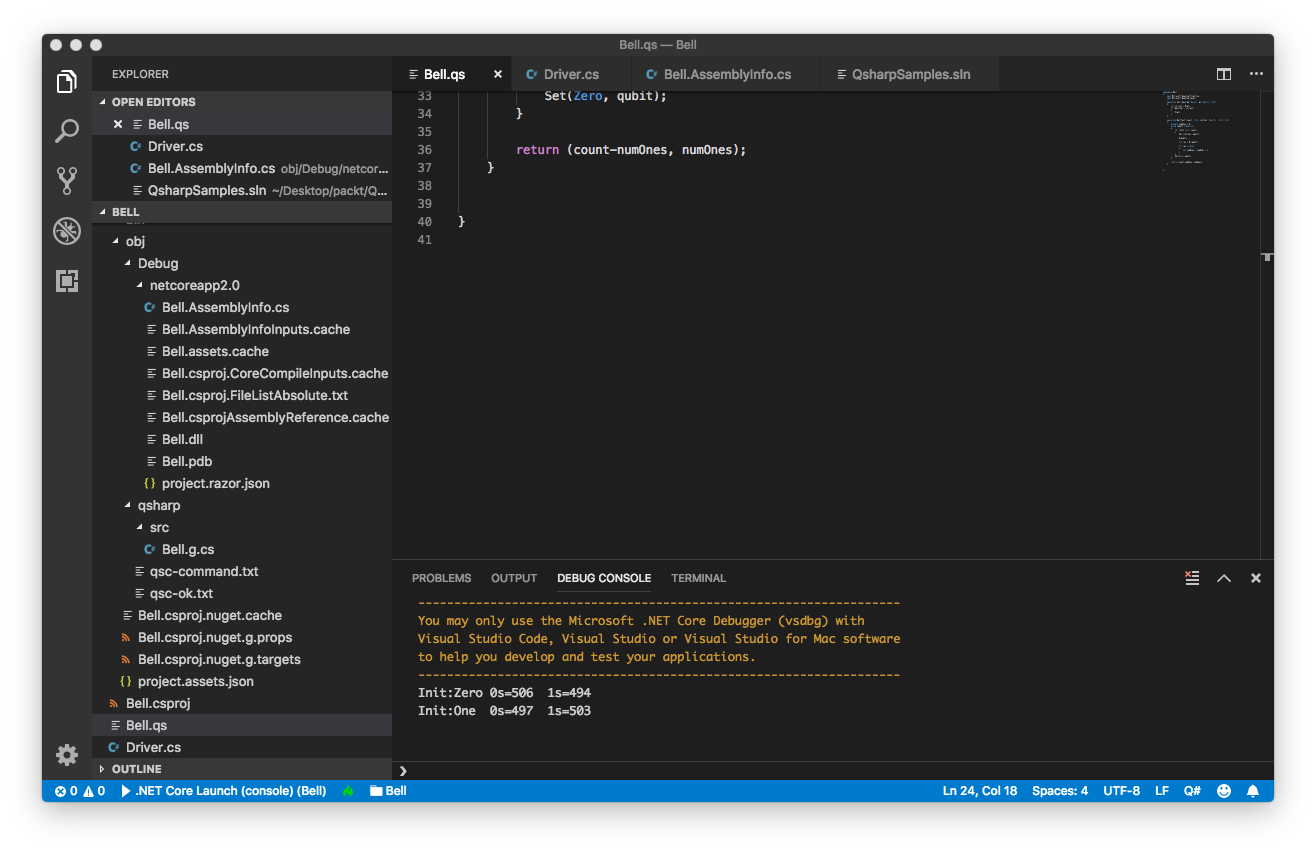
The number of times zero and one values come in the run of 1000 times is printed for superposition test.  Quantum bit is halfway between 0 and 1 as shown statistically below in the output.

Init:Zero 0s=506  1s=494

Init:One  0s=497  1s=503


The screenshot of the output is attached below:
 

superposition

Quantum Entanglement

Quantum Entanglement is a superposition of two or more particles. This is a quantum state which has a special subset of all measurements of a particle. It is a correlated measurement outcome of two or more particles. Quantum entanglement happens when multiple particles generated together or closely interacted. The particle cannot be described independently and becomes part of a connected system. Measurement of one particle affects the other particle’s state.

The entanglement is achieved by the following pseudocode.

  1. Create Two Qubits
  2. for number of times (count)
    1. initialize number of ones to zero
    2. initialize the agree to zero
    3. call the set method with the initial and first qubit parameters
    4. call the set method with Zero and second qubit parameter
    5. perform Hadamard gate on Qubit
    6. perform CNOT gate on first and second qubits
    7. the result is set to measure of the first qubit
    8. if measure of second qubit is equal to the result, agree is incremented
    9. statistics are gathered for how many zeros and ones.collect the number of ones in number of ones
    10. call the set method with zero and first qubit parameters
    11. call the set method with zero and second qubit parameters
  3. return the number of times zero and 1 is appeared and agree.


Driver C# code:

using System;

using Microsoft.Quantum.Simulation.Core;
using Microsoft.Quantum.Simulation.Simulators;

namespace QuantumEntanglement
{
class Driver
{
static void Main(string[] args)
{
using (var qsim = new QuantumSimulator())
{

Result[] initials = new Result[] { Result.Zero, Result.One };
foreach (Result initial in initials)
{
var res = EntanglementTest.Run(qsim, 1000, initial).Result;
var (numZeros, numOnes) = res;
System.Console.WriteLine(
$"Init:{initial,-4} 0s={numZeros,-4} 1s={numOnes,-4}");
}
}
}
}
}


EntanglementTest Q# code

operation EntanglementTest (count : Int, initial: Result) : (Int, Int)
{
mutable numOnes = 0;
using (qubit = Qubit())
{
for (test in 1..count)
{
Set (initial, qubit);

X (qubit);

let res = M (qubit);

if (res == One)
{
set numOnes = numOnes + 1;
}
}
Set(Zero, qubit);
}

return (count-numOnes, numOnes);
}
}


The output shown after executing dotnet run:

entanglement

Quantum: State Testing


Operation StateTest  takes parameters count and initial. The operation returns two values as a tuple of integer types. The operation loops the count number of times and measures one and zero states. The measurement occurs after invoking the set operation and Not Gate on Qubit. The code below shows the number of times zero and one values come in the run of 1000 times is printed.

using System;

using Microsoft.Quantum.Simulation.Core;

using Microsoft.Quantum.Simulation.Simulators;

namespace QuantumState

{

    class Driver

    {

        static void Main(string[] args)

        {

            using (var qsim = new QuantumSimulator())

            {


                Result[] initials = new Result[] { Result.Zero, Result.One };

                foreach (Result initial in initials)

                {

                    var res = StateTest.Run(qsim, 1000, initial).Result;

                    var (numZeros, numOnes) = res;

                    System.Console.WriteLine(

                        $”Init:{initial,-4} 0s={numZeros,-4} 1s={numOnes,-4}”);

                }

            }

        }

    }

}


namespace QuantumState

{

    open Microsoft.Quantum.Canon;

    open Microsoft.Quantum.Primitive;

operation Set (desired: Result, q1: Qubit) : Unit

    {

        let current = M(q1);

        if (desired != current)

        {

            X(q1);

        }

    }

state testing